
Box Office Equipment Guide
IN THIS ARTICLE
Setup Guides/Troubleshooting
Standard Box Office Equipment Kits
Alternative Box Office Equipment
RELATED ARTICLES
Box Office 101
Microcom 520 User Guide
Microcom 485TC User Guide
Dynaflex PED Credit Card Reader Guide
Saffire's Box Office interface allows you to sell tickets in person from any Internet-connected desktop or laptop computer, accepting cash or credit cards. With a compatible printer, you can print tickets on demand.
Box office equipment is used for selling tickets in a traditional gate, box office, or ticket window setting. These setups require a desk or table to set up a laptop and printer, an internet connection, and a power source for the devices. Sales made at a box office utilize SaffireTix Box Office interface, which can be accessed via www.yoururl/boxoffice.
Submit your Rental request at: http://saffire.com/saffiretixinfo
Setup Guides/Troubleshooting
|
Laptop Station Equipment Setup |
Setting up Box Office in Spark |
|---|---|
| Setting up your SaffireTix Laptop Kit for box office sales | Everything you need to set up Box Office ticketing in Spark |
|
|
|
| Laptop Setup | Box Office 101 |
| Printers | Box Office User Tips |
| Dynaflex PED Card Reader Setup | Box Office - Invoicing |
| Microcom 520 User Guide | Box Office Interface Troubleshooting |
| Setting up Windows for Box Office |
|
Standard Box Office Equipment Kits
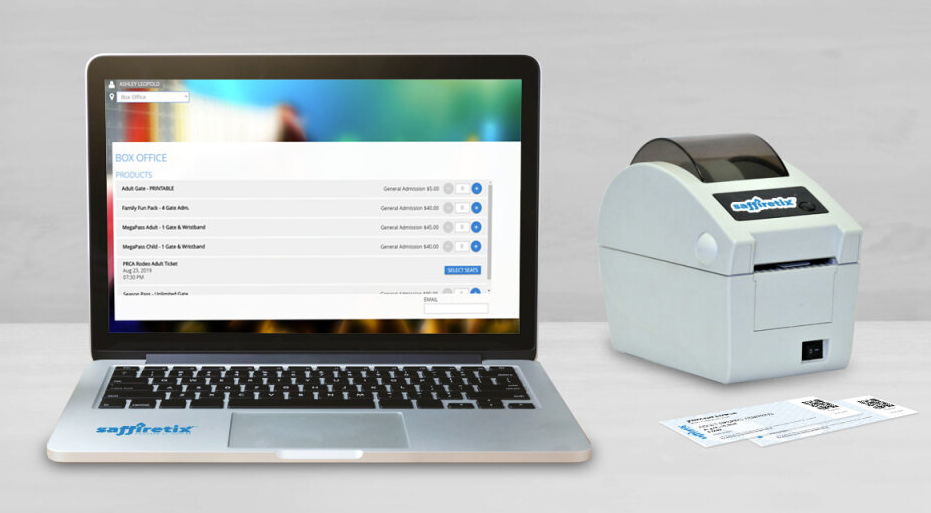
The standard SaffireTix Box Office Kit uses a touchscreen laptop and Microcom 520 printer. Laptops are pre-configured with all of the necessary software you need including printer and card reader drivers. Credit card readers and ticket stock are not included in kits as they vary based on individual client needs.

|

|

|
Alternative Box Office Equipment
You can also combine rented box office equipment with equipment you already own. If you would like to set up a selling station with your own equipment, reach out to your Ticketing Account Manager to discuss compatibility. Please note that SaffireTix Box Office requires Windows 10/11 and cannot be run on Chromebooks or Mac.
Submit your Rental request at: http://saffire.com/saffiretixinfo