
Order Lookup
IN THIS ARTICLE
Access Settings
Order Lookup Dashboard
Searching for Orders
RELATED ARTICLES
This report is an isolated version of the Purchases Report without the data export functionality and the ability to filter by product category.
The intended use for this report is to aide individuals assisting with customer service, but who should not have full reporting access. As this page is nearly identical to the purchases report, please visit the Purchase Report Guide for details on using this page.
Access Settings
Spark location: Tools > Users
When creating or editing an Admin user, narrowing the access to just 'order lookup only' and 'can edit orders/invoices' will allow a customer service rep to locate and edit/cancel an existing order or invoice. Leaving 'can edit orders/invoices' unchecked will allow users to view receipts, reprint tickets, and see ticket usage, but not edit or cancel orders.

Order Lookup dashboard
Spark location: Commerce > Reports > Order Lookup
This looks nearly identical to the Purchases Report, yet it does not include the data export functionality and the ability to filter by product category. Hovering over an ID number allows the user to access the options menu:
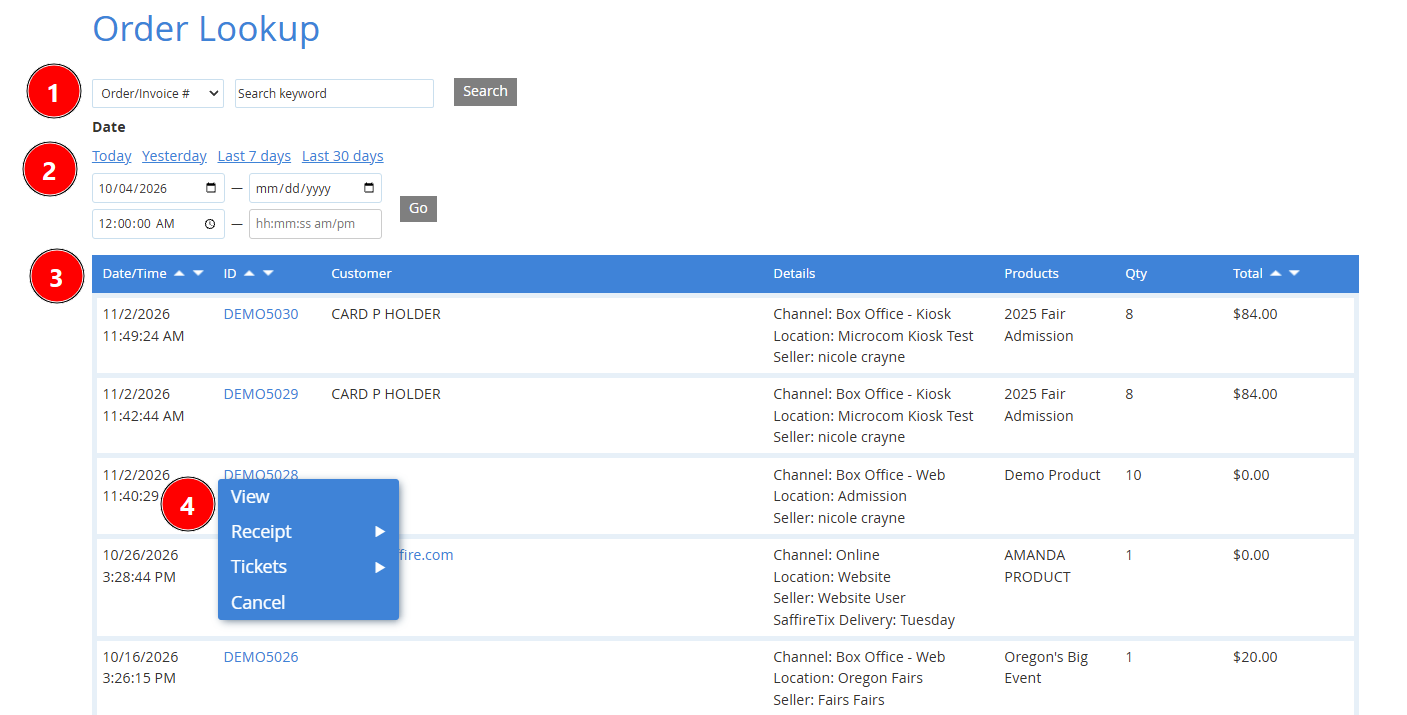
- Order search bar with field picker dropdown
- Date/time range picker
- Order data
- Order dropdown options
- View
- Receipt (View, Print, Email)
- Tickets (Print, Usage, SMS/Text)
- Cancel (if user has permission)
- Fraud Protection - Visible for online orders only, offers adding the order to the Allowlist/Denylist
Searching for Orders
Use the search bar at the top left to find a specific order.
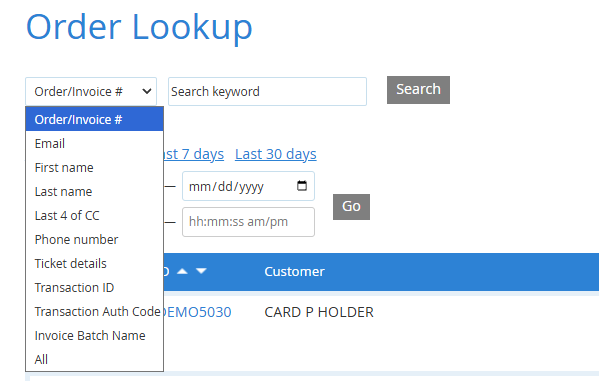
The dropdown by the search bar can be used to search by:
- Order/Invoice #
- Customer email
- First or last name
- Last 4 digits of credit card
- Phone number
- Ticket details
- Transaction ID
- Transaction authorization code
- Or select All to search across all fields
Digital Wallet Payment Lookup
When looking up a transaction based on the last 4 digits of the credit card used, digital wallet payments (Apple/Google Pay) will use the digital last 4 found in the purchaser's digital wallet app rather than the true last 4 digits on the card.