
Seat Maps for Reserved Ticketing Products
IN THIS ARTICLE
Seat Map Creation and Updates
Previewing Seat Maps
Seat Types
Managing Seats within Products
Seat Map Examples
RELATED ARTICLES

Seat maps are essential for defining the layout of individual seats or areas available for purchase in your events. They can be configured for various setups, including general admission areas, VIP sections, table seating, stadium seating, reserved parking, camping sites, and many other uses. See below for some examples of different types of reserved seating maps we have created in the past.
Seat Map Creation and Updates
Please note that you cannot create or modify seat maps directly within the system. Your Ticketing Account Manager is responsible for setting up and updating seat maps. This includes configuring seat availability, naming conventions, and assigning ticket products and price types to specific areas (e.g., VIP sections).
To ensure your seat maps are ready in time for your event’s on-sale date, we recommend submitting any new map requests or updates at least 6-8 weeks in advance. This allows adequate time for design, review, and implementation. Rush requests may be considered on a case-by-case basis but are not guaranteed. Please note that your map will need to be complete before you are able to create your reserved ticketing products, so be sure to leave yourself ample time. For information on creating reserved products, see our Intro to Reserved Tickets article.
In addition to basic seat information, you can also request that certain seats be assigned Location or Entrance data that will display alongside Section, Row, and Seat information. If you include this info when you send us the data we need to create a new map we can ensure it is set up correctly to your specifications.

Previewing Seat Maps
To view and preview your existing seat maps:
- Navigate to Commerce > SaffireTix > Seat Maps.
- Select the desired seat map to preview it.
- To zoom into a specific area, click on that section.
- To zoom back out, click on the magnifying glass with a minus sign.
This preview allows you to see the layout and understand which products are utilizing each seat map.

Seat Types
Different seat types can be created to inform ticket purchasers about the seating they are selecting (e.g., bench seat, seatback seat, bleacher). Photos can be added to each seat type (not individual seats) to provide visual context. Additionally, maps can include icons or labels for restrooms, stage locations, exits, and other pertinent venue details. All these elements are configured by your Account Manager.

Managing Seats Within Products
Within your product listings, you have tools to manage seat availability:
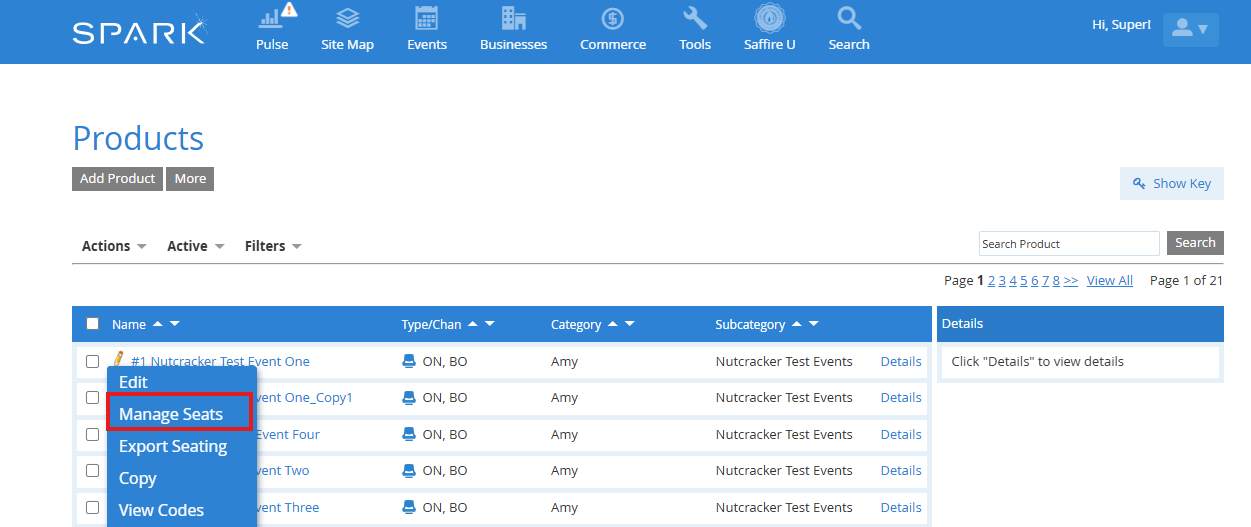
- Manage Seats: Access the Seat Management Tool to:
- Place seats on hold.
- Convert held seats for box office sales.
- Remove seats from the event.
- View detailed information about specific seats.
For any changes or updates to your seat maps, please contact your Ticketing Account Manager.
Seat Map Examples
RV Parking

Gala seating with both rowed seating and reservable tables

Arena seating with GA floor seating

Gala seating with varied table types

Timed admission with reservable time slots
