
Sales Report - Troubleshooting
IN THIS ARTICLE
"None" Payment Type
Totals Don't Match Redemptions Report
RELATED ARTICLES
Sales Report
"None" Payment Type
When you view the Sales Report, you can see the 'Credits' made within the date range you selected. However, not all Credits resulted in a refund to the customer. Some credits are assigned to the 'None' payment type. This occurs when we edit/revise an order.
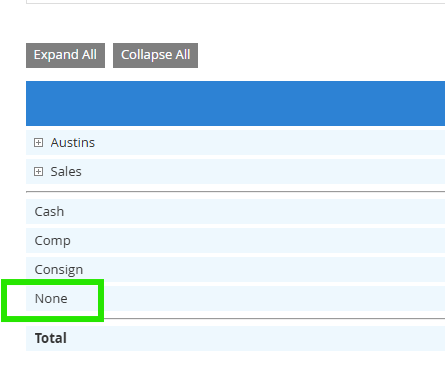
Let’s say someone originally purchased a ticket for a Saturday event but decides they would rather come on Sunday. We edit the order to make that exchange by removing the Saturday ticket from the order and adding the Sunday ticket. In the sales report, you’ll see a credit for the ticket that was removed (returned), but it will be assigned to the 'None' payment type. This means no actual refund occurred — the system is just logging that credit as part of the product exchange.
On the other hand, if a Credit is assigned to the Credit Card, Cash or Check method of payment, we know the Credit resulted in a true refund back to the assigned method of payment.
As a reminder, the Sales Report only shows Paid Orders. Invoices are not included in the sales totals, and therefore canceling or editing an invoice will not be reflected in the Sales Report.
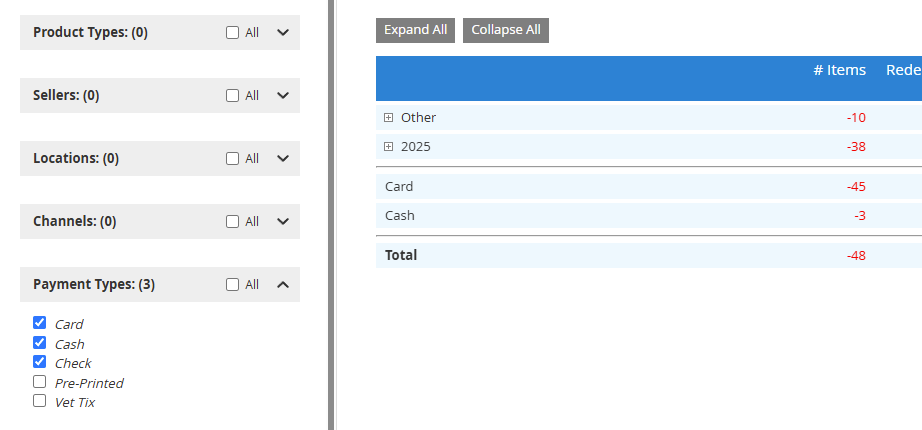
A good way to see only Credits that resulted in refunds is to filter the 'Payment Types' on the left side of the Sales Report to just Card, Cash and Check and the 'Transaction Types' to Credit. This will remove the "None" payment type and just show credits that resulted in a refund.
Totals Don't Match Redemption Report
Sometimes you may find that the redeemed ticket totals in your sales report do not match with the totals in the redemptions report, even when the same dates are entered. If you see this, you may have your dates filtered to the days your event was going on as those are the days you were getting redemptions. However, the Sales Report will only show redemptions on sales that happened within that same time period, rather than going all the way back to when tickets went on sale. If you update the dates on both reports to make sure that they go back to when your tickets first went on sale, you may be able to reconcile these two reports accurately.