
8.6.2 Release Notes
This release is entirely focused on our new wristband printing functionality. The feature is not enabled by default on any sites, so if this is something you think you may need, please reach out to your Account Manager via support@saffire.com
Release date: July 21, 2026
Wristband Printing
Spark Location: Commerce > SaffireTix > Locations
This feature was developed for use at Box Office locations. Your first step is choosing which SaffireTix Location(s) will have access to print your Wristbands. When you create a new location or edit an existing location, you will see the option to enable Wristband Printing under the Location Functions options.

Box Office - Printing Sold Wristbands
When a location has this feature enabled, you will see a new button in the top of the Box Office heading:

Click on this button and you will be able to scan a product that is configured to print on a wristband. You will see the Ready to Scan... screen, from here you can use an external ticket scanner (recommended) or you can Enter Code manually and click the SCAN button to submit.

When you've scanned a valid wristband code, you will see the option to print the scanned code to a wristband. If the order is less than 50 wristbands, then you will see a bulk print option.
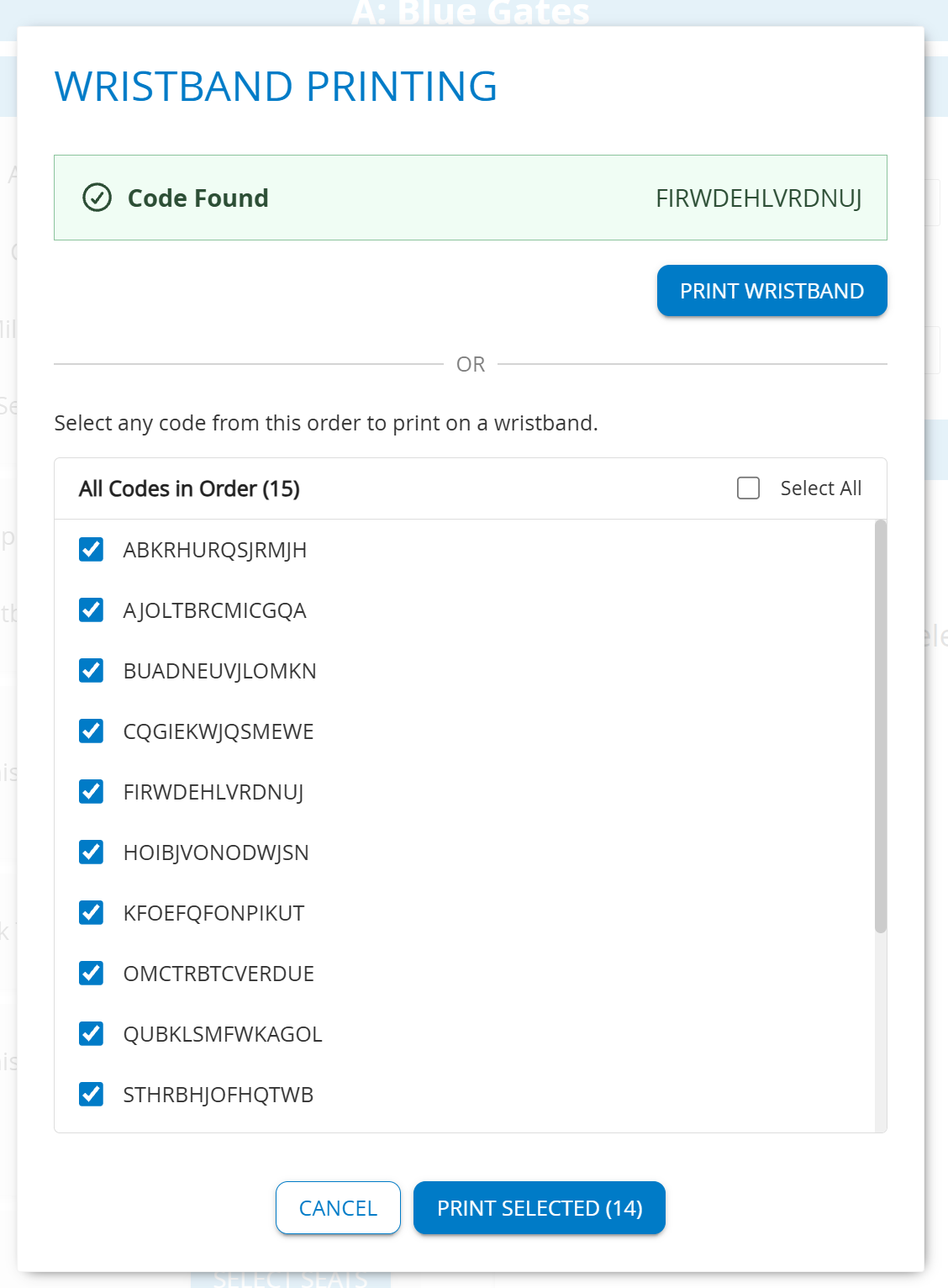
HINT: This option is meant to optimize the process if a group or family arrives with all attendees present and you wish to print them all at once instead of scanning each code one at a time. This bulk action will also make it known if a code has already been printed.

Product Configuration
When you edit a product, you will be able to configure it for Wristband Printing from the Ticket Face tab. Under the Box Office / Pre-Printed section, you'll now see the option to enable Wristband Printing. Check that box to enable the ticket to be scanned in the Box Office and reprinted on to a wristband.
Depending on your use case, you may also want to set the wristband template as your default template in Box Office, however, discuss that with your Account Managers to have the best setting suggestions provided to you.
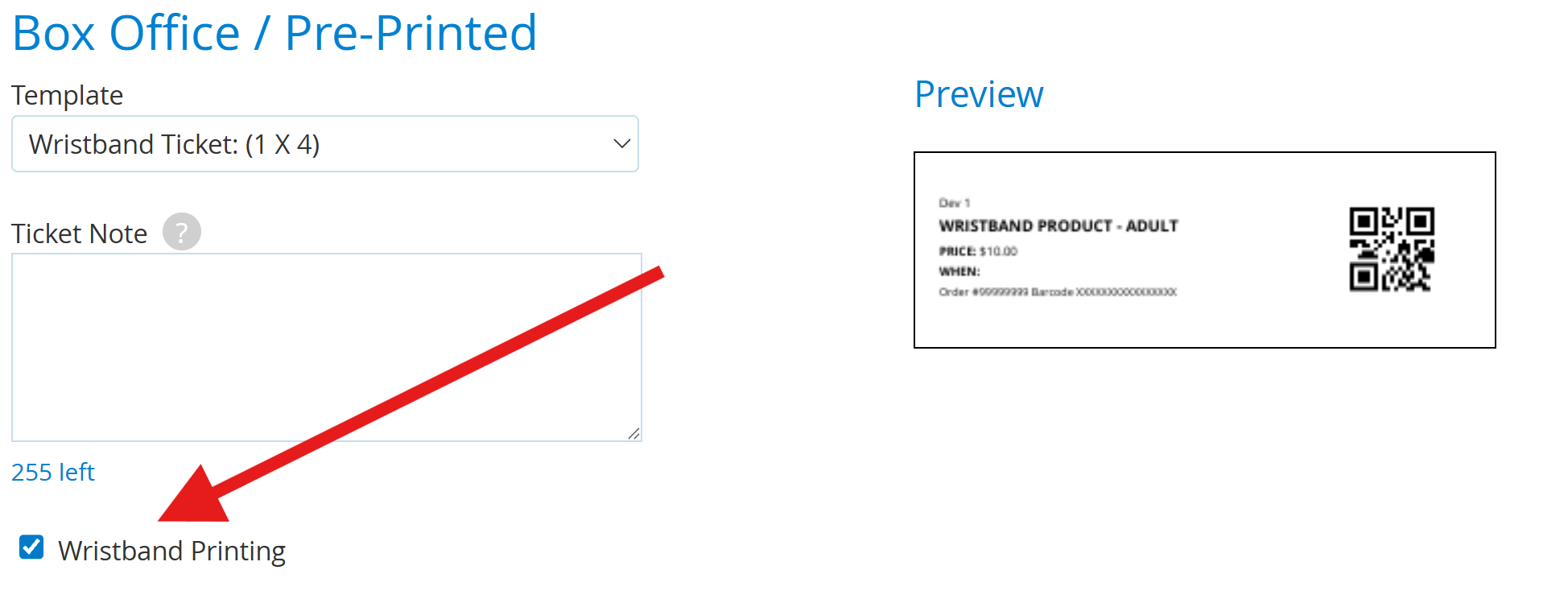
Hint: If you require your wristband template to display MORE or LESS information, reach out to support@saffire.com for assistance in creating a custom wristband template.