
Operational Communications
This feature allows you to send event-related emails directly to ticket buyers. It's for non-marketing messaging such as schedule changes, event reminders, or important 'know before you go' information.
| Operational Communications | NOT Operational Communications |
|---|---|
|
|
(these are considered Marketing messages) |
| ✅ Know Before You Go | ❌ Upsell or "you might also like" opportunities |
| ✅ Change in Start Time for Event | ❌ Post-event survey |
| ✅ Updates to Artist or Performance Line Up | ❌ Cross promotion for upcoming events |
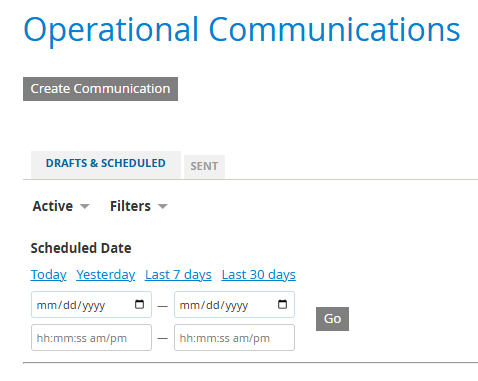
Spark location: Commerce > Utilities > Operational Communications
-
Select the Create Communication button
-
add the Communication Name - this appears only in Spark... it won't be seen by your customers
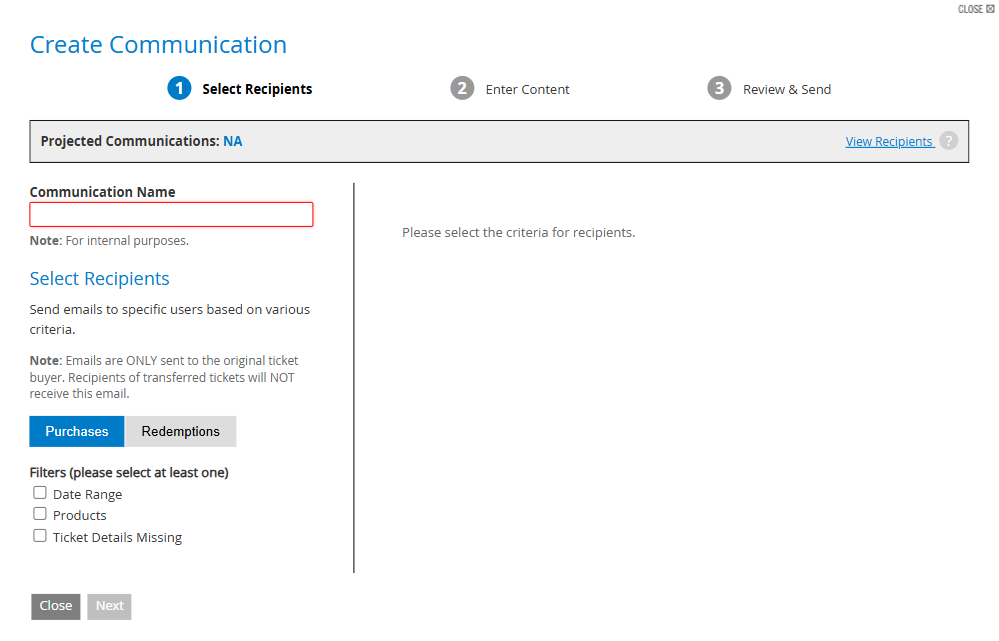
- determine if you're sending a message based on Purchases or Redemptions
- Choose at least one Filter
- Date Range - select a preset range, or add your own
- Products - you can narrow this by Category or by Ticket Type
- Ticket Details Missing - applicable only if you're using Ticket Details
- click Next
-
add the communication details:
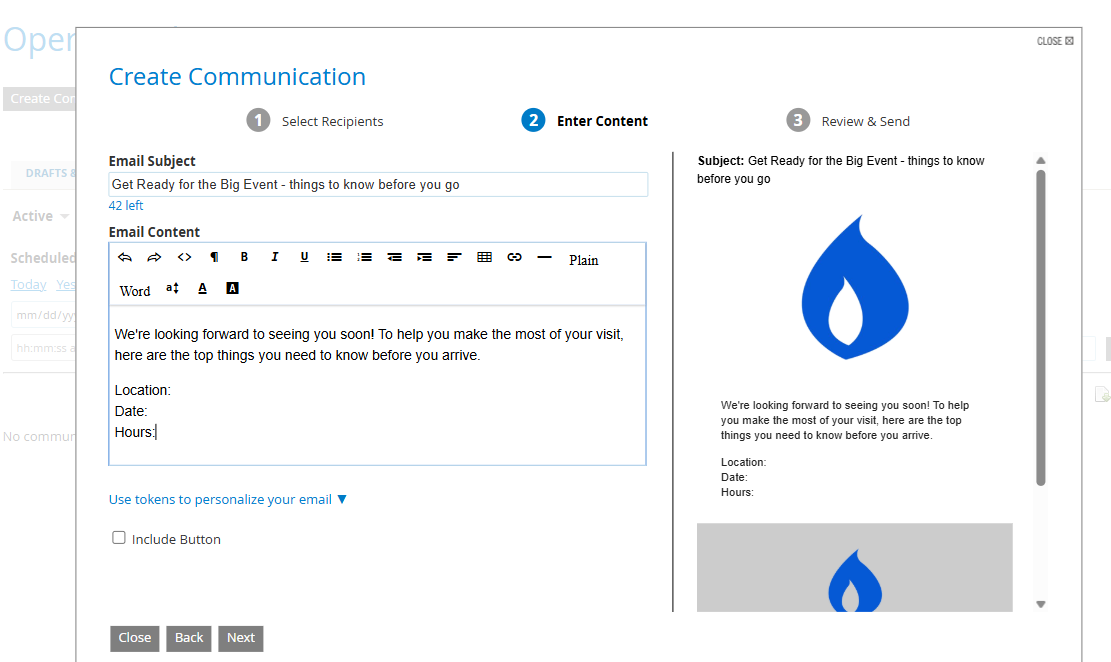
- You can use tokens to personalize your email. Refer to bracketed text in the blue dropdown list:
- {OrderNumber}
- {AccessTicketsURL}
- {FirstName}
- {LastName}
-
{FullName}
example message using tokens:
{FirstName}, we're looking forward to seeing you soon! If you haven't already done so, your tickets are available digitally at {AccessTicketsURL}
-
Review your message in the right column:
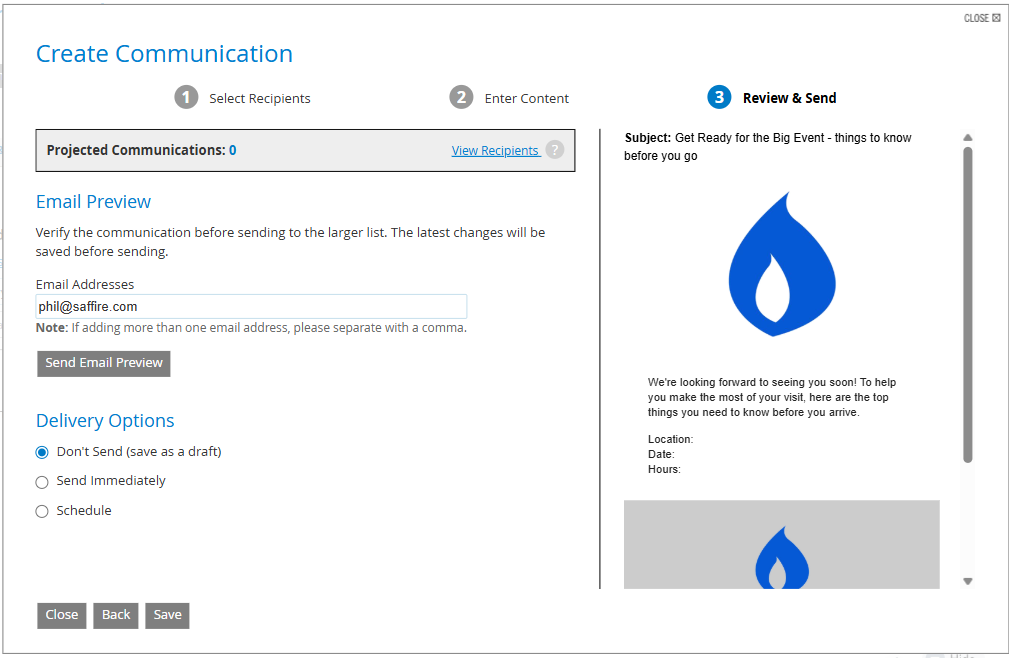
- Verify your communication by sending an email preview to yourself (and to others, if you choose). This is required. A message will pop up to let you know when your preview has been sent.
- Choose a Delivery Option
- Don't send (save as a draft)
- Send immediately
- Schedule
- Save - or save & send if delivering immediately
-
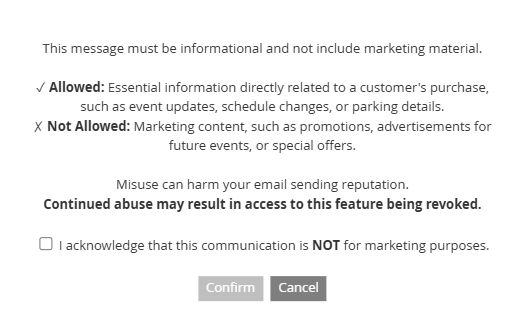
You'll need to confirm that your communication is not for marketing purposes.
-
After submitting the confirmation your screen will return to the Operational Communications dashboard. From the dashboard, you can track communications which you've created as Drafts or have been Scheduled, as well as those which have been Sent.
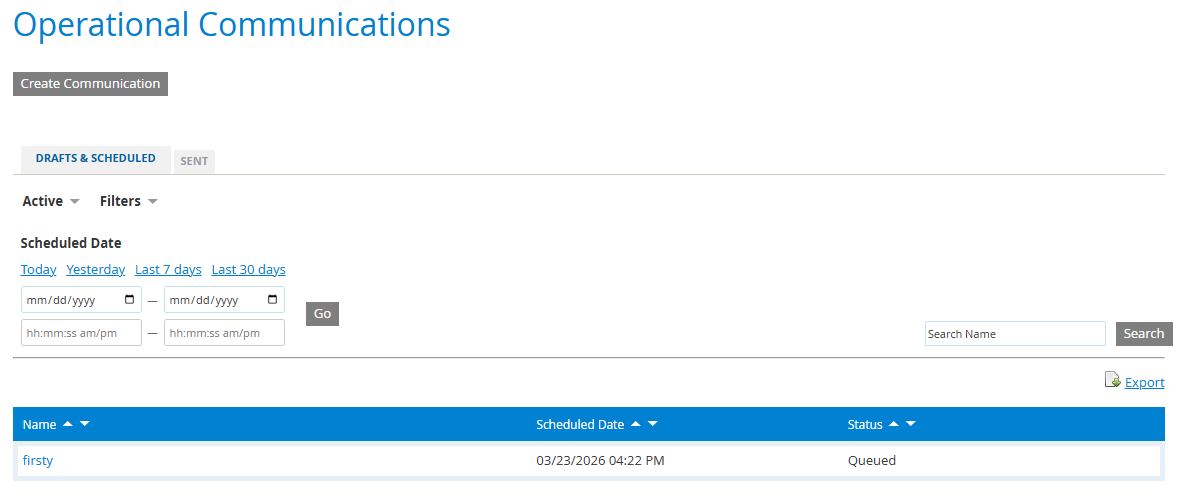
Once your communications begin sending they will no longer be editable.
You'll see 'Sending' under the Status heading, versus 'Queued' for scheduled communications.
Limits
You are able to send up to 50k emails each month from the Operational Communications feature.