
Google: Remove a link from search results
From time-to-time, you may have a URL which continues to show up in Google search results long after a page, document or image is out of date. To eliminate the URL, you'll need to request a removal using Google Search Console.
After logging in to Google with the same email address associated with your Google Analytics, you can reach Search Console at this address:
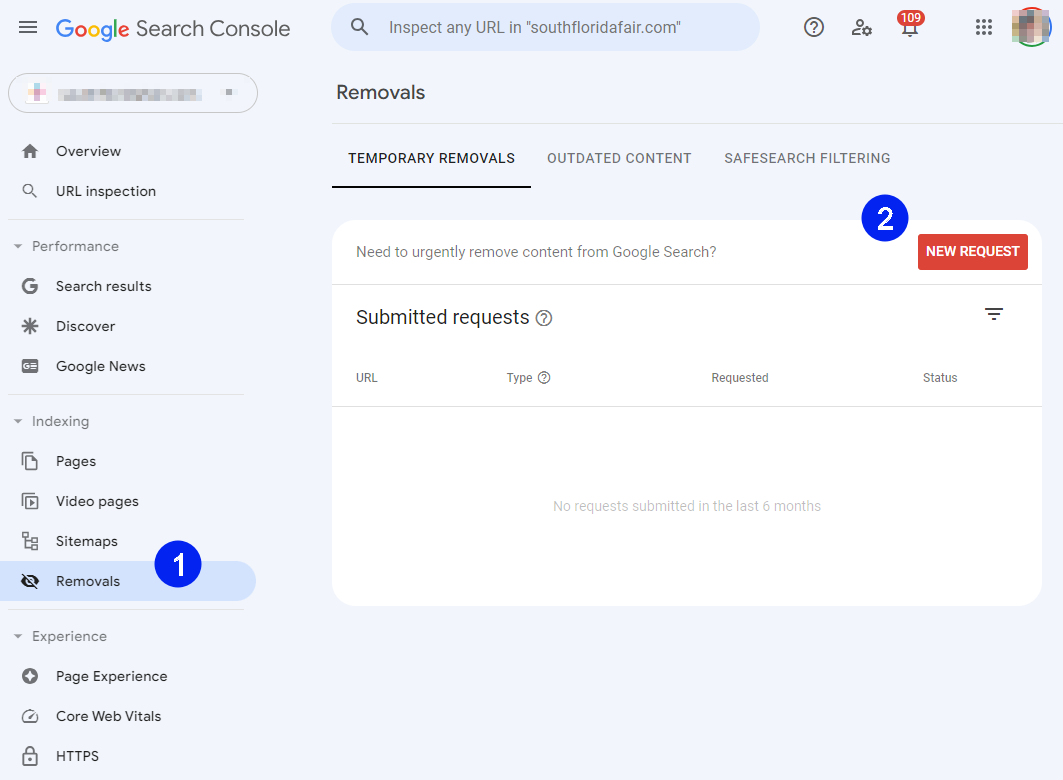
- If you have more than one site associated with your account you'll need to select the appropriate property, then it should open the 'Removals' page.
- Click the 'New Request' button.
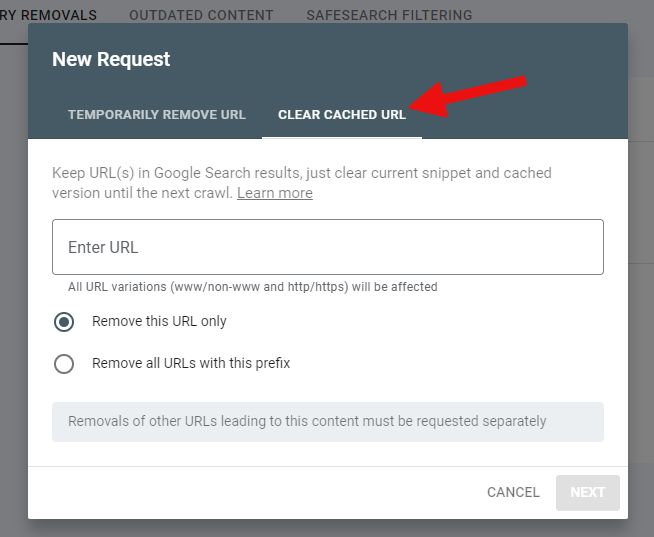
- In the window which follows, click 'Clear Cached URL' at the top
- enter the URL
- click NEXT
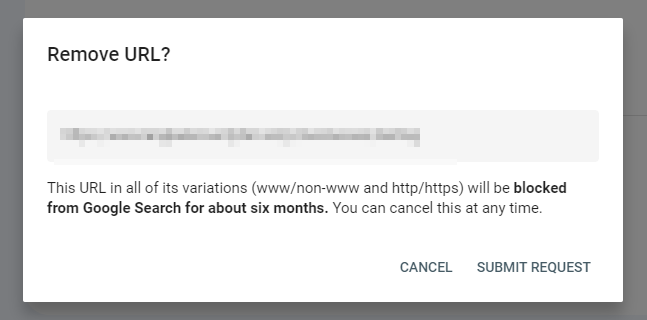
It will ask you to confirm the removal and submit the request.
As long as there are no links to the page or file anywhere on your site, Google shouldn't be able to re-index it in the future.