
🚩Friendly URLs: Facebook & UTM codes
Unfortunately, we're unable to use Saffire's Friendly URLs on Facebook. It's due to the tracking parameters which Facebook adds to the address.
Here's how it appears on a site after clicking a friendly URL on Facebook:
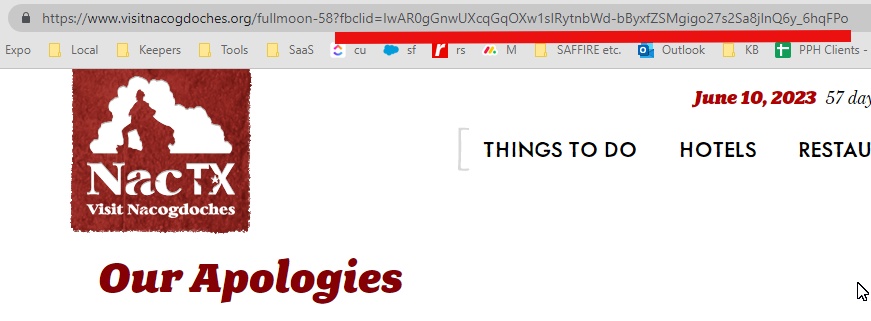
All of the characters underlined in the image above (from the question mark to the right) is gibberish to the server.
The Saffire Friendly URL tool creates a specific address (which is actually an 'alias' for the real page) - so the server is unable to process any characters which weren't included as part of the Friendly URL when it was created.
Unfortunately, Facebook adds these to all out-going links, and they don't provide a solution for displaying a link as text... it has to show the full URL. The only solution at this time is using the original URL for the page, which the server IS able to handle.
Also... UTM codes won't work with Friendly URLs for the same reason they don't work on Facebook. When creating UTM codes for campaign tracking, use the original page address.